Kyocera Cutting Tools
Publisher Description
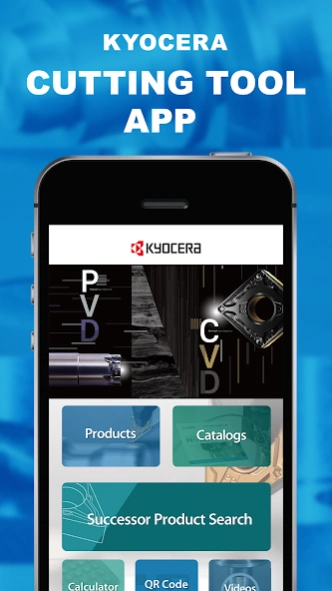


Find the latest information on Kyocera Cutting Tool’s products
This application can help increase user productivity by providing valuable information and features, including up-to-date product data, catalogs, and a cutting time calculator.
Available Languages
The language switching function enables you to switch between the following seven languages.
Japanese, English, German, French, Italian, Spanish
Product Catalog
Find easy-to-navigate e-book style product catalogs and zoom in and out of important product data
Videos
View various product and machining videos
Cutting Time Calculator
Calculate the cutting time and number of passes for turning and feed rates and cutting times for milling and drilling applications
“EASY TOOL GUIDE”
“EASY TOOL GUIDE” is a system that helps with customer tool selection.
You can search for applicable model numbers by selecting the machining
process or tool genre.
QR Code Scanner
You can access detailed product information and other useful information from QR codes on Kyocera’s catalogs
Global Network
Find your nearest Kyocera cutting tools group locations with GPS
Note: If using your smart phone in an unstable network environment, content may not display or operate properly.
Location Information (GPS)
We obtain location data from the application for the purpose of searching nearby Kyocera locations and other distribution information.
We respect your privacy and this data does not contain personal information. This data is not used outside of the application.
Copyright
The content copyright described in this application belongs to Kyocera Corporation, and any act of copying, quoting, transferring, distributing, modifying, adding, etc. without permission for any purpose is prohibited.
About Kyocera Cutting Tools
The company that develops Kyocera Cutting Tools is KYOCERA Corporation. The latest version released by its developer is 1.0 .
To install Kyocera Cutting Tools on your Android device, just click the green Continue To App button above to start the installation process. The app is listed on our website since 2026-09-02 and was downloaded 3 times. We have already checked if the download link is safe, however for your own protection we recommend that you scan the downloaded app with your antivirus. Your antivirus may detect the Kyocera Cutting Tools as malware as malware if the download link to li.yapp.appA5FD8A98 is broken.
How to install Kyocera Cutting Tools on your Android device:
- Click on the Continue To App button on our website. This will redirect you to Google Play.
- Once the Kyocera Cutting Tools is shown in the Google Play listing of your Android device, you can start its download and installation. Tap on the Install button located below the search bar and to the right of the app icon.
- A pop-up window with the permissions required by Kyocera Cutting Tools will be shown. Click on Accept to continue the process.
- Kyocera Cutting Tools will be downloaded onto your device, displaying a progress. Once the download completes, the installation will start and you'll get a notification after the installation is finished.
Program Details
System requirements
Download information
Pricing
Version History
version
posted on 2026-09-02
Changed some internal processing of the application.
